
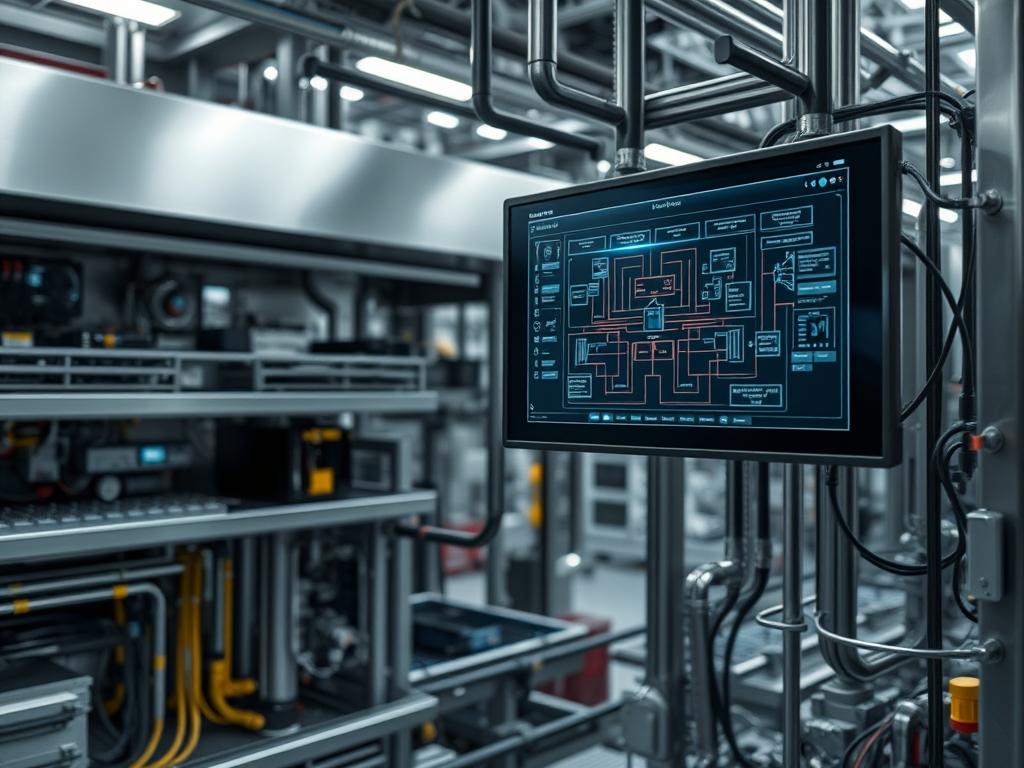
Automatic Self Cleaning Screens represent a critical layer in the industrial filtration stack; they provide the primary defense for downstream assets like heat exchangers, reverse osmosis membranes, and high-pressure pumps. Within the context of energy and water infrastructure, these systems mitigate the risks associated with biological fouling, suspended solids, and particulate accumulation. The core engineering problem addressed by these screens is the inherent trade-off between filtration fineness and system uptime. Manual filtration systems introduce significant operational overhead and maintenance-induced downtime; conversely, an automated system ensures a consistent pressure differential and steady-state operation. By integrating mechanical scraping or backwashing mechanisms with intelligent logic controllers, engineers can maintain high throughput and minimize the thermal-inertia impacts of fouled cooling systems. This manual outlines the architecture required to deploy a reliable filtration node capable of autonomous operation under variable load conditions while ensuring the integrity of the broader hydraulic or pneumatic network.
TECHNICAL SPECIFICATIONS
| Requirement | Default Port / Operating Range | Protocol / Standard | Impact Level (1-10) | Recommended Resources |
| :— | :— | :— | :— | :— |
| Logic Controller | 24V DC / Modbus TCP | IEEE 802.3 / IEC 61131-3 | 10 | PLC with 512KB L1 Cache |
| Differential Pressure | 4-20 mA / 0.5 – 2.0 Bar | HART / 2-Wire Analog | 9 | SS316L Transducers |
| Actuator Power | 480V AC 3-Phase / 60Hz | NEMA MG 1 | 8 | IP66 Rated Motor |
| Screen Material | 10 – 500 Microns | ASTM A240 | 7 | Grade 316 Stainless Steel |
| Backwash Valve | 2″ to 12″ Flanged | ANSI/ASME B16.5 | 6 | Pneumatic or Electric Solenoid |
| Telemetry Interface | Port 502 (Modbus) | TCP/IP Stack | 5 | Cat6 Shielded / Fiber Optic |
THE CONFIGURATION PROTOCOL
Environment Prerequisites:
Successful deployment requires strict adherence to the NEC (National Electrical Code) for high-voltage motor wiring and ISA S5.1 for instrumentation symbols and identification. The hosting environment must provide a stable 24V DC power supply for the control circuit with less than 50mV ripple to prevent signal-attenuation in the analog loop. Software dependencies include a logic development environment compatible with IEC 61131-3 standards; the user must possess Administrative Root access to the SCADA (Supervisory Control and Data Acquisition) interface to map the necessary I/O registers. All mechanical seals must be verified against the API 682 standard to prevent premature failure under high-cycle automation.
Section A: Implementation Logic:
The engineering design relies on the principle of differential pressure logic. As particulates accumulate on the Screen Element, the effective orifice size decreases; this increases the Delta-P (dP) across the inlet and outlet. The system utilizes an idempotent logic routine: if the dP exceeds a predefined setpoint, the PLC initiates a cleaning cycle. This cycle is designed to be atomic; it must either complete fully or return to a safe “fail-open” or “fail-closed” state depending on the safety parameters of the specific facility. By using high-frequency sampling on the Analog-to-Digital Converter (ADC), the system filters out transient pressure spikes, ensuring that the cleaning initiation is a response to actual fouling rather than hydraulic hammer or pump cavitating.
Step-By-Step Execution
1. Hard-Point Installation and Alignment
Secure the Filter Housing to the structural foundation using Grade 8 Galvanized Bolts. Verify that the inlet and outlet flanges are perfectly co-axial to prevent stress on the internal Mandrel or Support Cage.
System Note: Precise alignment prevents mechanical binding of the Cleaning Carriage; if the housing is skewed, the Stepper Motor or Piston will encounter irregular resistance, leading to a high-current trip in the Variable Frequency Drive (VFD).
2. Differential Pressure Sensor Calibration
Connect the high-pressure and low-pressure ports of the dP Transmitter to the Filter Manifold using 1/4-inch Stainless Steel Tubing. Use a Fluke-789 ProcessMeter to simulate a 4mA (zero load) and 20mA (full scale) signal to the PLC Input Module.
System Note: Calibration ensures the Kernel receives accurate data regarding the filter’s state. Incorrect scaling leads to either unnecessary cleaning cycles (wasted bypass water) or delayed cleaning (risking screen collapse due to high delta-p).
3. Logic Controller Programming and Register Mapping
Upload the control logic to the CPU. Define the Setpoints for the “Start Flush” (e.g., 0.5 Bar) and “Emergency Alarm” (e.g., 1.2 Bar) variables. Map these variables to the Modbus Register Address 40001 through 40010 for external monitoring.
System Note: The logic prioritizes the Interrupt-Driven input from the dP Sensor. In the event of a high-load scenario, the PLC manages concurrency between the cleaning cycle and the upstream pump telemetry to prevent a total loss of flow.
4. Actuator and Solenoid Testing
Manually pulse the Flush Valve Solenoid via the HMI (Human-Machine Interface). Observe the stroke time and ensure the Limit Switches register a “Closed” and “Open” state back to the digital input card.
System Note: This step verifies the I/O Link. If the valve fails to reach the fully open state within the Timeout Window, the logic will trigger a Fail-Safe alarm to prevent the screen from running dry or over-pressurizing.
5. Cleaning Mechanism Synchronization
Initiate a “Dry Run” of the Scraper or Backwash Arm. Use an Ultrasonic Flow Meter to verify that the Payload of the flush water matches the design specifications.
System Note: This ensures that the mechanical cleaning speed matches the flow velocity. If the Carrier moves too slowly, solids may re-attach; if it moves too fast, the Inertia could damage the Screen Mesh.
6. Integration with SCADA and Telemetry
Configure the Firewall Rules to allow traffic over Port 502 from the filtering node to the central Operations Center. Enable Encapsulation for any data packets traversing common IT/OT bridges to ensure security.
System Note: Telemetry allows for long-term Throughput analysis. By tracking the frequency of cleaning cycles over time, operators can predict seasonal fouling patterns and optimize spare parts inventory for the Filter Elements.
Section B: Dependency Fault-Lines:
The most common point of failure involves Signal-Attenuation in the 4-20mA loop caused by improper grounding; this creates “ghost” pressure spikes that trigger erratic cleaning. Another significant bottleneck is the Hydraulic Overhead during the backwash cycle; if the waste line is undersized, the backpressure prevents effective debris removal. Mechanical failures often stem from a lack of Thermal-Inertia considerations in the seals; high-temperature fluids may cause expansion that binds the Rotating Assembly, leading to motor burnout.
THE TROUBLESHOOTING MATRIX
Section C: Logs & Debugging:
Log analysis should begin at the PLC System Buffer. Search for the error string ERR_VALVE_TIMEOUT or ERR_DP_OUT_OF_RANGE. Physical cues, such as a localized drop in Throughput, often correlate with entries in the Fault Trace indicating a “stuck high” state on a digital input.
- Error Code 0x01 (dP Signal Loss): Check the Terminal Block for loose wiring. Path: /sys/bus/iio/devices/ for controller-specific raw counts. Verify the 24V DC loop integrity.
- Error Code 0x02 (Cycle Incomplete): Inspect the Flush Valve for physical obstructions. Check the Solenoid Coil resistance using a Digital Multimeter; it should typically read between 20 and 100 Ohms.
- Visual Cue (Turbidity Spike): If downstream water is cloudy despite an active screen, inspect the Screen Element for a Mesh Breach. Verify that the Bypass Valve is fully seated in the 0% position.
- Log Entry “Idempotent Lockout”: This occurs when the system attempts to start a cleaning cycle while one is already in progress. Check for Signal Bounce on the dP Sensor or increase the Hysteresis value in the configuration file.
OPTIMIZATION & HARDENING
- Performance Tuning: To maximize Throughput, adjust the cleaning cycle Latency. Configure the VFD to increase the motor speed during high-load periods, ensuring the screen remains clear even when incoming TSS (Total Suspended Solids) increases. Optimize the Payload of the backwash water by using a “Pulse” cleaning mode instead of a continuous stream.
- Security Hardening: Implement VLAN Segmentation to isolate the Automatic Self Cleaning Screens from the general business network. Apply MAC Address Filtering on the Network Switch to prevent unauthorized devices from injecting Modbus commands into the PLC. Physically lock the Control Panel and use Shielded Twisted Pair (STP) cabling to mitigate EMI (Electromagnetic Interference).
- Scaling Logic: When expanding the filtration bank, utilize a Master-Slave architecture. This allows for coordinated cleaning cycles, ensuring that only one screen in a parallel bank is cleaning at any given time. This prevents a significant drop in System Pressure and maintains a constant Volumetric Flow Rate for critical downstream processes.
THE ADMIN DESK
How do I reset the logic after an Emergency Stop?
Ensure the E-Stop physical button is pulled out. Navigate to the HMI Maintenance Screen and toggle the Reset_Fault bit. The PLC will perform an idempotent check of all sensors before re-engaging the Auto mode.
What is the ideal setpoint for the cleaning cycle?
Typical industrial applications utilize a setpoint of 0.5 Bar (7 PSI). Setting this too low causes excessive water loss; setting it too high risks mechanical deformation of the Stainless Steel Screen and decreased Throughput.
The motor is running, but the dP is not dropping. Why?
Check the Scraper Blades or Backwash Nozzles. If they are worn or misaligned, they will not effectively remove the filter cake. Also, verify that the Flush Valve is actually opening and allowing debris to exit the system.
How often should the dP sensors be re-calibrated?
Perform a calibration check every 6 months or whenever the Log Files show inconsistent “Zero-Point” readings. Use a certified Pressure Comparator to ensure the Analog-to-Digital conversion remains linear across the full operating range.
Can I operate the screen during a PLC failure?
Most systems include a Manual Override Handle. Rotate the Actuator manually and open the Manual Bypass Valve to maintain flow while the Control Logic is offline; however, monitor the dP manually to prevent screen damage.